
Quick start: ready to test in 15 minutes
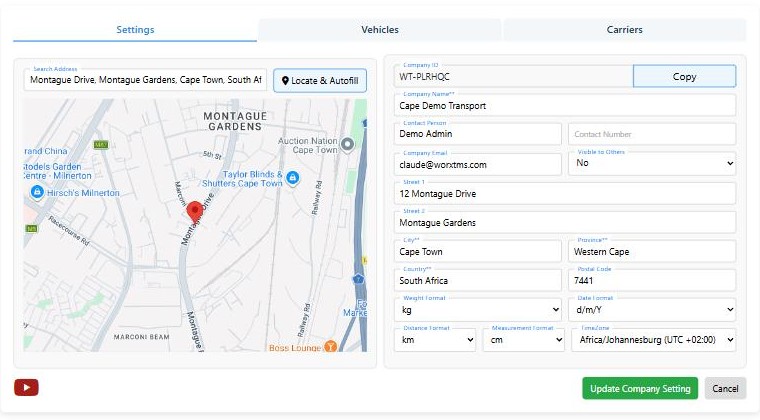
Settings: your company
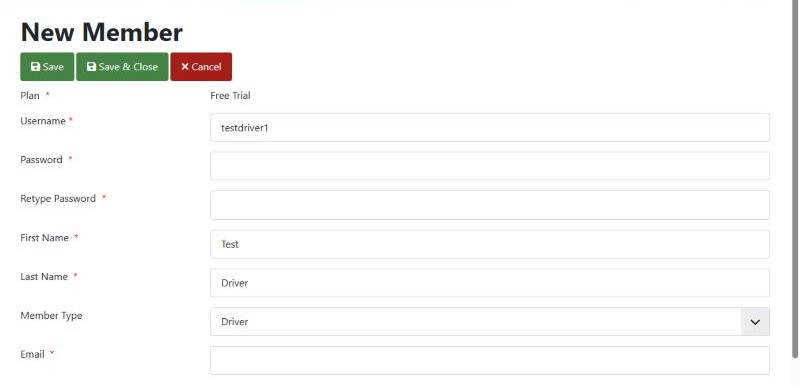
Members: your first driver
Switch on tracking
- On the driver's Android phone, install worxTMS from Google Play (free)
- Log in with the driver's username and password
- Allow all permissions, and set location to Allow all the time
- Switch the tracking toggle from red to green
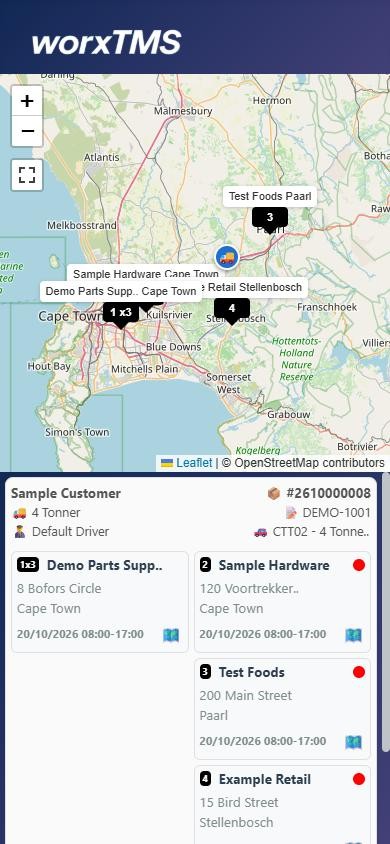
- On your computer, open Shipments and refresh until the driver shows on the map
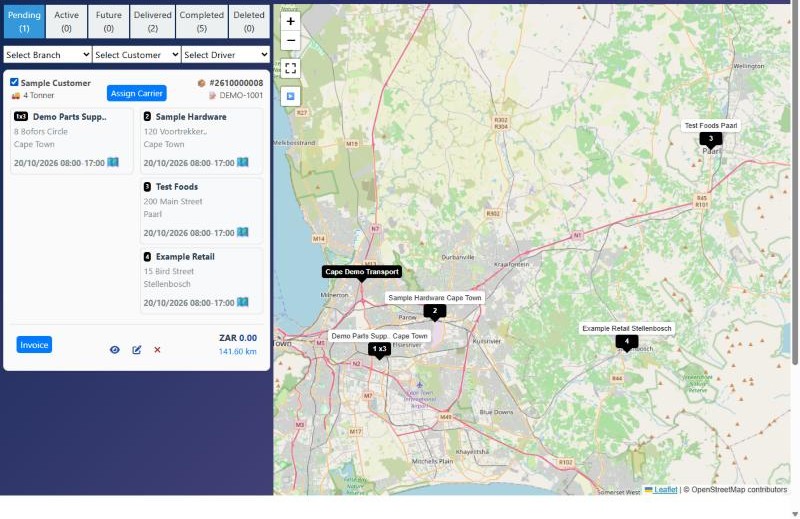
Book a test job
Set up the rest, step by step
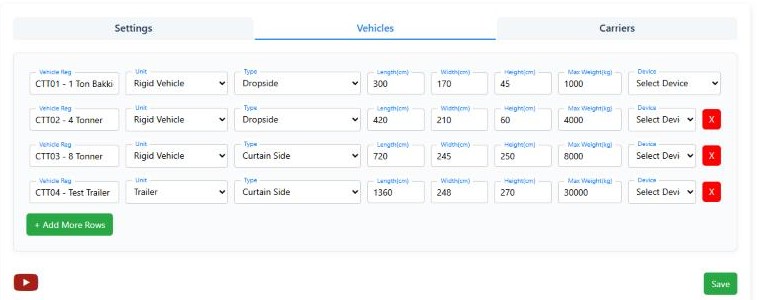
Vehicles and trailers in detail
Office staff and customer logins
- Office Staff: works in worxTMS with you. Set Invoicing to No if they should not create invoices
- Customer: your customer's own login. Choose the customer in Customer Link. They see only their own loads, live, with statuses, PODs, waybills and invoices, and they can book new jobs. Customers come from your accounting system, so set this up after step 4
- More drivers: one Driver login per driver, so each one sees only their own jobs in the app
More about the driver app
- Shipments: their active, upcoming and completed jobs, each stop with its contact and a map. Tapping the map icon opens Google Maps for directions
- Fuel: log each fill-up from the cab: vehicle, odometer, oil added and litres
Accounting: customers, services and invoices
| You use | Choose | Cost |
|---|---|---|
| QuickBooks Online | The QuickBooks Online tab | Your QuickBooks subscription |
| Xero | The Xero Accounting tab | Your Xero subscription |
| No accounting software | The Front Accounting tab: free accounting built into worxTMS | Free |
| Only your own deliveries, no customers to bill | Nothing: keep using the House Account | Free |
- Open the tab and click to connect. Sign in to QuickBooks or Xero and allow worxTMS to connect. The tab then shows Connected and your company name
- Your customers and services come across by themselves, so there is nothing to retype
- When you click Invoice in worxTMS, a draft invoice is created in QuickBooks or Xero. It becomes final when it is emailed, and a copy of the POD goes with it
- Changes, voids and emails you make in QuickBooks or Xero update back into worxTMS. So one person can run the trucks in worxTMS while another keeps the books in QuickBooks or Xero
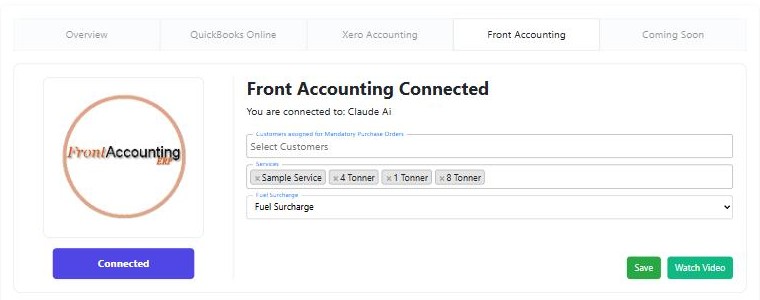
- Open the Front Accounting tab and connect. A FrontAcc menu appears at the top
- Fill in FrontAcc > Settings > Company Setup (it prints on your invoices), add your customers with their email addresses, and add your services, for example 1 Tonner, 4 Tonner, 8 Tonner
- Record payments, send statements and see who owes you, all in FrontAcc
Your regular addresses
Rates and fuel
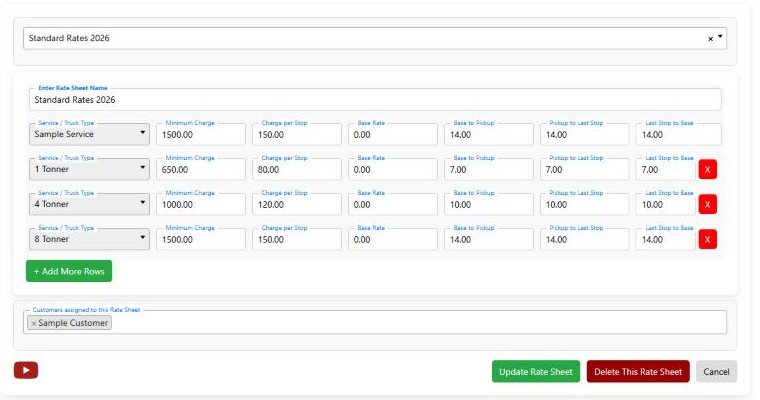
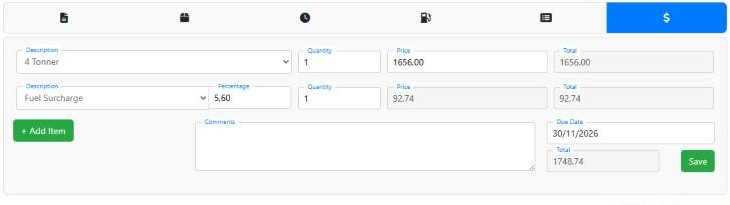
- Base Rate: the starting price, added to every job; distances and stops are added on top
- Minimum Charge: if everything added together comes to less, the Minimum Charge is used instead
- Charge per Stop: only for stops between the first and the last
Subcontractors and worxLINK (optional)
Your first real job, start to finish
Book it
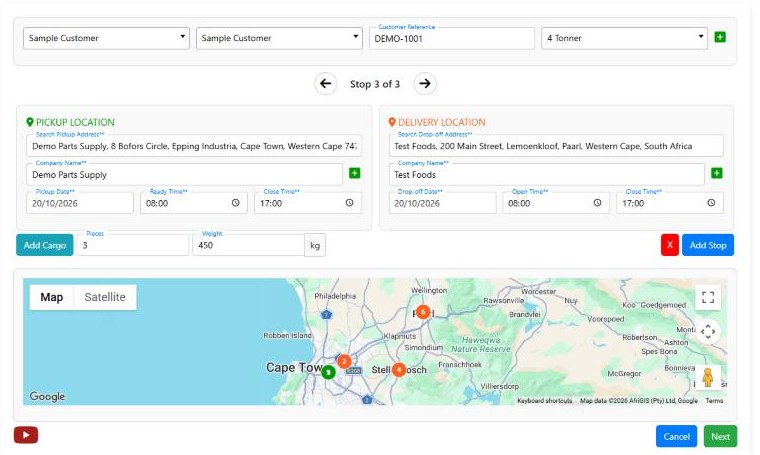
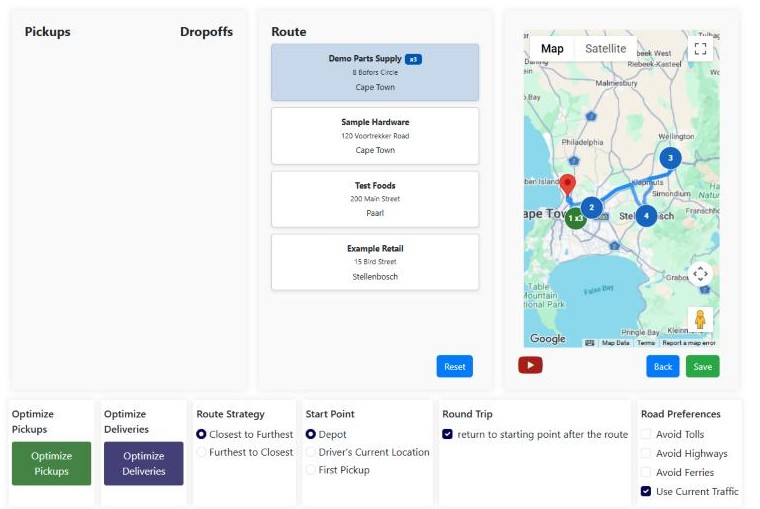
Route it
Check and save the price
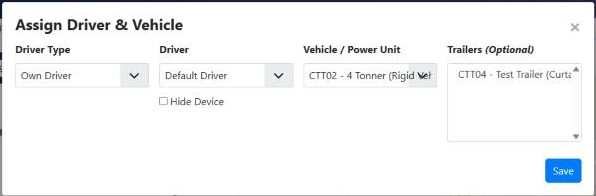
Assign it
Let everyone follow it
Deliver it
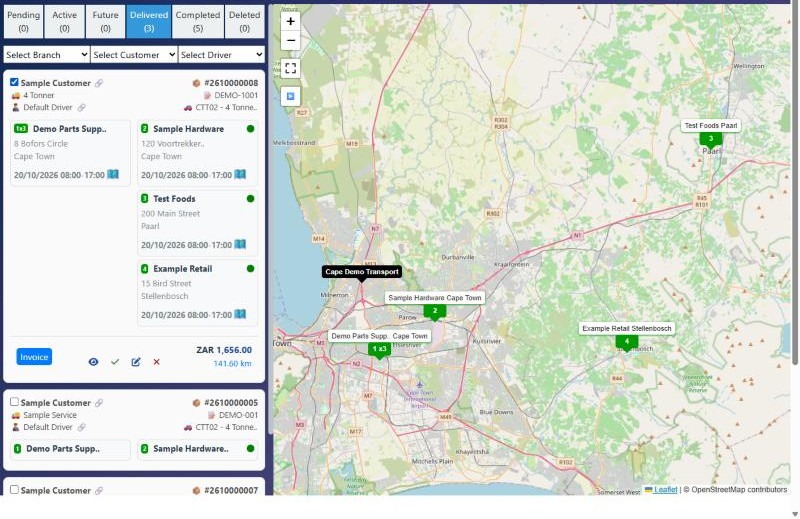
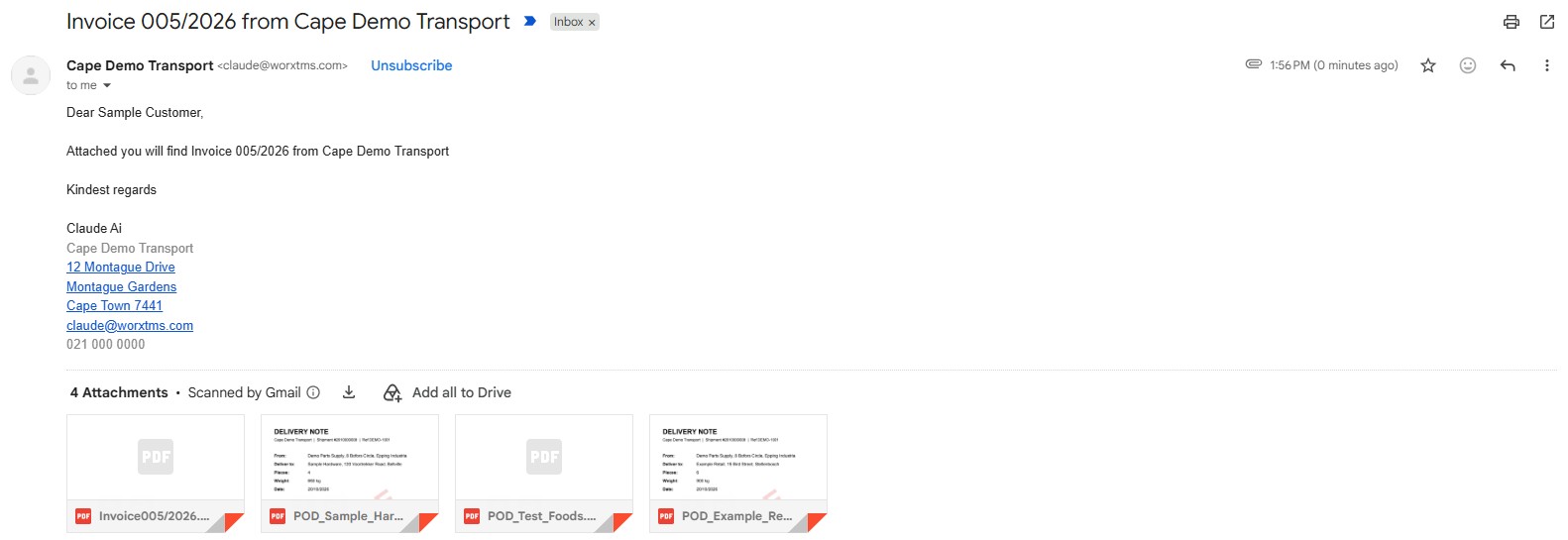
Invoice it
Want every detail? Read the full guide
Frequently asked questions
Do I have to set everything up before I can use worxTMS?
No. Try a test job with the built-in defaults first, then set up the rest during your 30-day free trial.
Is the free trial really free?
Yes. 30 days, no credit card, no contract and no automatic renewal. If you don't subscribe, it simply ends.
Do I need accounting software?
No. Use the House Account if you only do your own deliveries. If you already use QuickBooks Online or Xero, connect it. If you have no accounting software, switch on the free FrontAccounting built into worxTMS.
Where do drivers get the app?
On Google Play: search worxTMS. It is free, and drivers sign in with the login you create under Members. iPhone drivers can use the driver link.
Where do I save the price of a job?
On the job's $ (Billing Lines) tab. Check line 1 and click Save before you invoice.
Why is my invoice missing the shipment number and route?
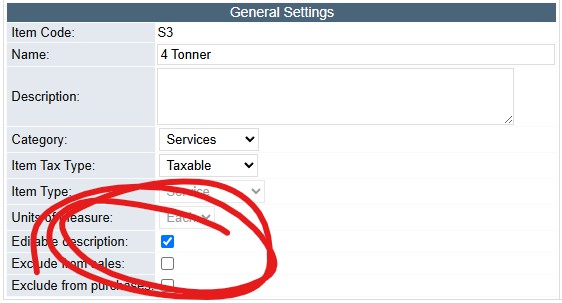
With FrontAccounting, tick Editable description on the service, then void the invoice and invoice again.
Can I keep using QuickBooks Online or Xero?
Yes. Connect it on the Integration page. Customers and services come across, invoices are created there as drafts, and changes, voids and emails you make in QuickBooks or Xero update back into worxTMS.
Can my customer see their loads without phoning me?
Yes. Send a worxLIVE link for one load to anyone who needs it, or give a regular customer their own login to see all their loads.
Which plan do I need?
Count the extra logins you need besides your own. Up to 3 is Starter (R199.99 a month); more is Professional (R499.99 a month). Both include every feature, unlimited vehicles and unlimited jobs.
Related articles
- Step 1: Set up your company details: the Settings tab in detail
- Rates page: make your jobs price themselves
- What does each kilometre cost you? work out your cost per km before you set rates
- QuickBooks Online and Xero integration: connect your accounting system
- FrontAccounting integration: free accounting built into worxTMS