
Xero Accounting Integration
Connect worxTMS to your Xero accounting system to simplify invoicing and keep your accounting information synchronised with worxTMS.
Connecting Xero
1
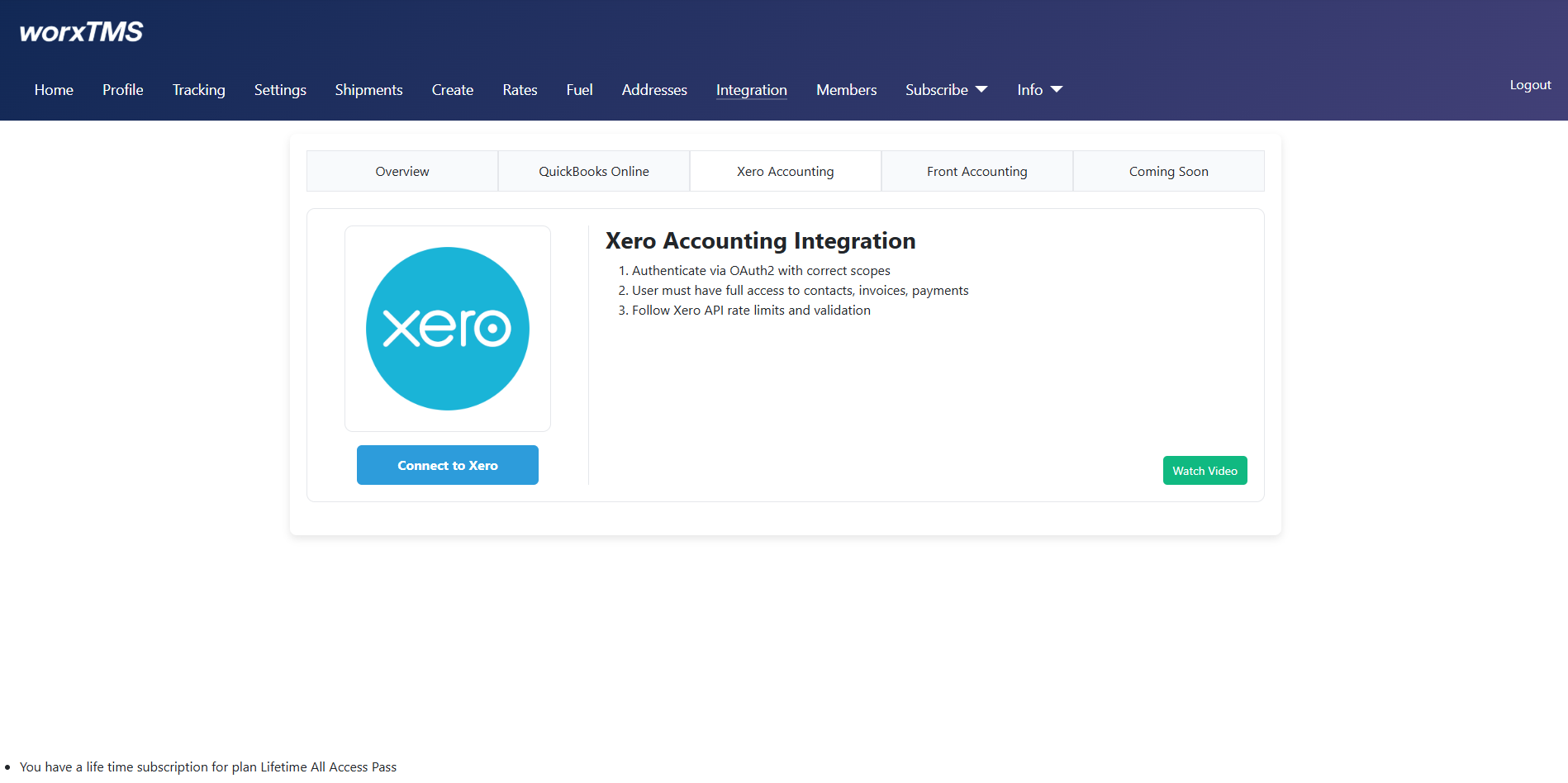
Click "Connect to Xero"
Start the integration by clicking Connect to Xero. This will open the Xero authorisation process and allow you to select the Xero organisation you want to connect.
2
Login with your Xero credentials
Enter your Xero email address and password to authenticate. If your Xero account uses Multi-Factor Authentication, you will be asked to complete that step next.

3
Complete MFA if required
If Multi-Factor Authentication is enabled on your Xero account, complete the verification step.

4
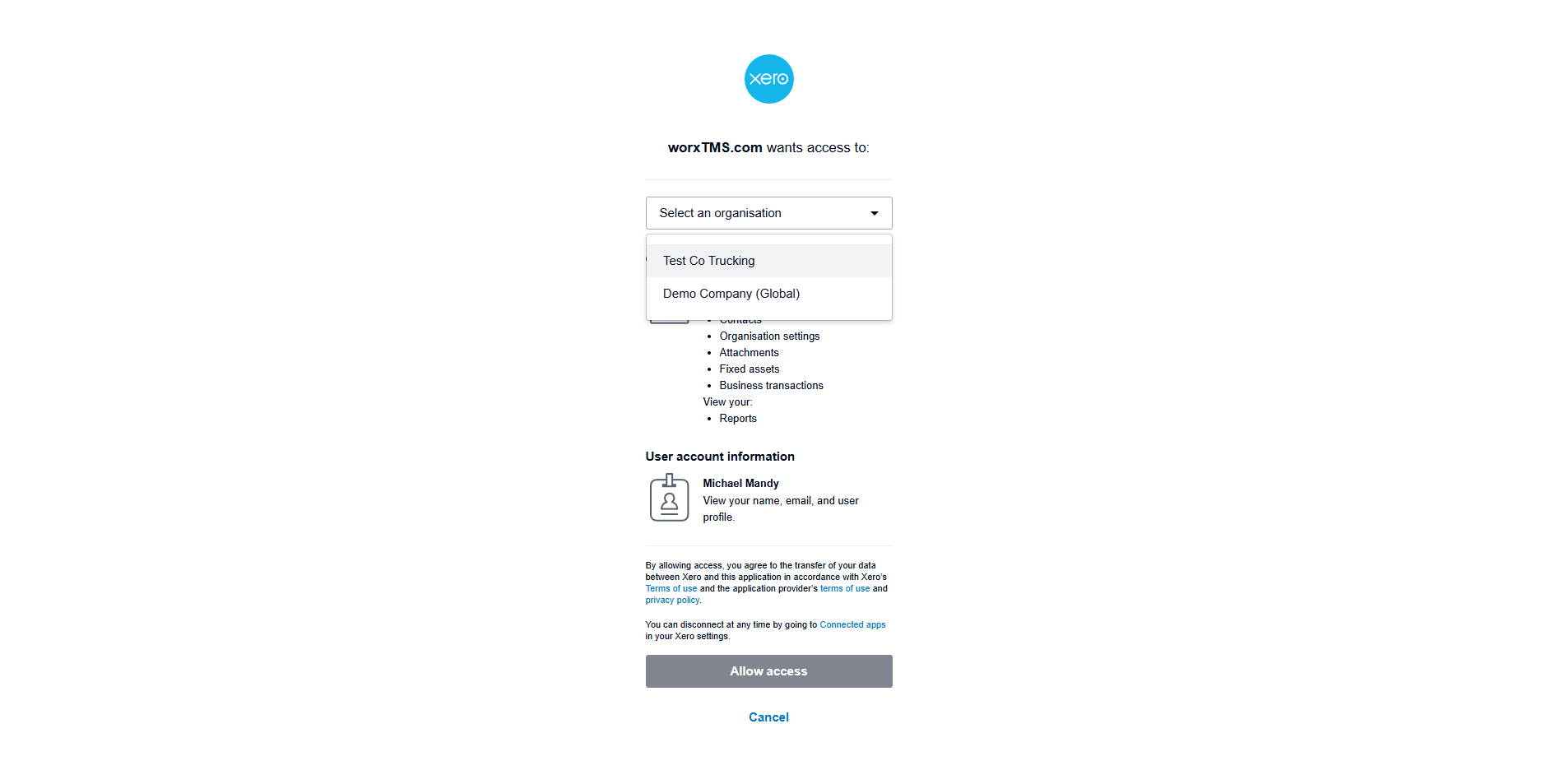
Allow access to worxTMS
Review the permissions shown by Xero and approve access for worxTMS to connect to your selected Xero organisation.
5
Xero is Connected
Once authorisation is complete, worxTMS will confirm that your Xero account is connected. You will also have the option to disconnect Xero if required.
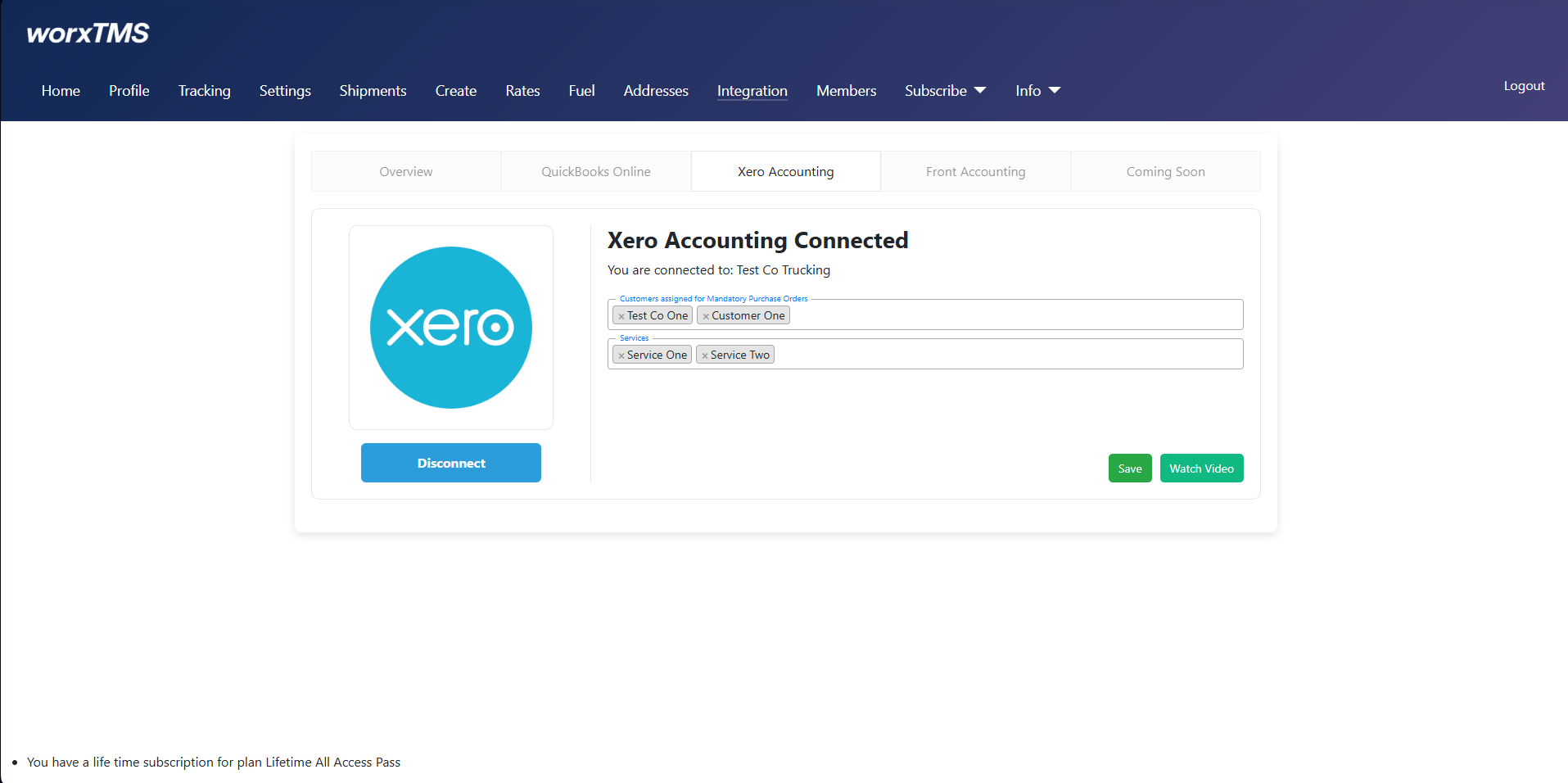
Complete These 3 Setup Steps
- Add customers that require mandatory Purchase Orders
If any of your customers require a Purchase Order (PO) number for invoicing, add them here so worxTMS can enforce this requirement automatically. - Select the services/items you want to use in worxTMS
If your Xero account contains many services or items, select only the ones you plan to use in worxTMS. - Select your Fuel Surcharge item
Choose the Fuel Surcharge service/item from your Xero account. When a shipment includes a fuel surcharge, worxTMS will add it as a separate line item on the invoice.
Invoice Updates & Synchronisation
worxTMS keeps relevant invoice information synchronised with Xero. Changes made to invoices in Xero can be detected and reflected in worxTMS.
- If an invoice is voided or deleted in Xero, worxTMS can remove the invoice so it can be created again without conflicts.
- Changes to Customer Ref / Order Number can be synchronised back to worxTMS.
- Changes to pricing, services or totals can also be synchronised.
Tip: If you only need to change the Price, Reference Number, Service or other invoice details, you can update the invoice directly in Xero. There is no need to void or delete the invoice.
✓ Xero Integration Complete
Your worxTMS account is now connected to Xero. You can continue setting up worxTMS and begin using the accounting integration with your shipments and invoices.
Connect once. Let worxTMS and Xero keep your invoice information synchronised as you work.