
Company Settings – Transport Management System | worxTMS Logistics & Shipping Software
Settings
The Settings page allows you to configure the key operational and system options that control how worxTMS works for your transport and logistics workflows. From company defaults to functional preferences, this page ensures your system runs the way your business does day-to-day.
Watch: worxTMS.com Settings Page Overview
Need help? Watch this walkthrough for step‑by‑step guidance on how to configure your system settings inside worxTMS.
Search Address (above the map) — Enter your company name or street address exactly as you would in Google Maps. This sets your company's precise pin on the map so trip distances are measured correctly — trips start and finish from this location.
Tab 1: Settings Tab — Company Settings
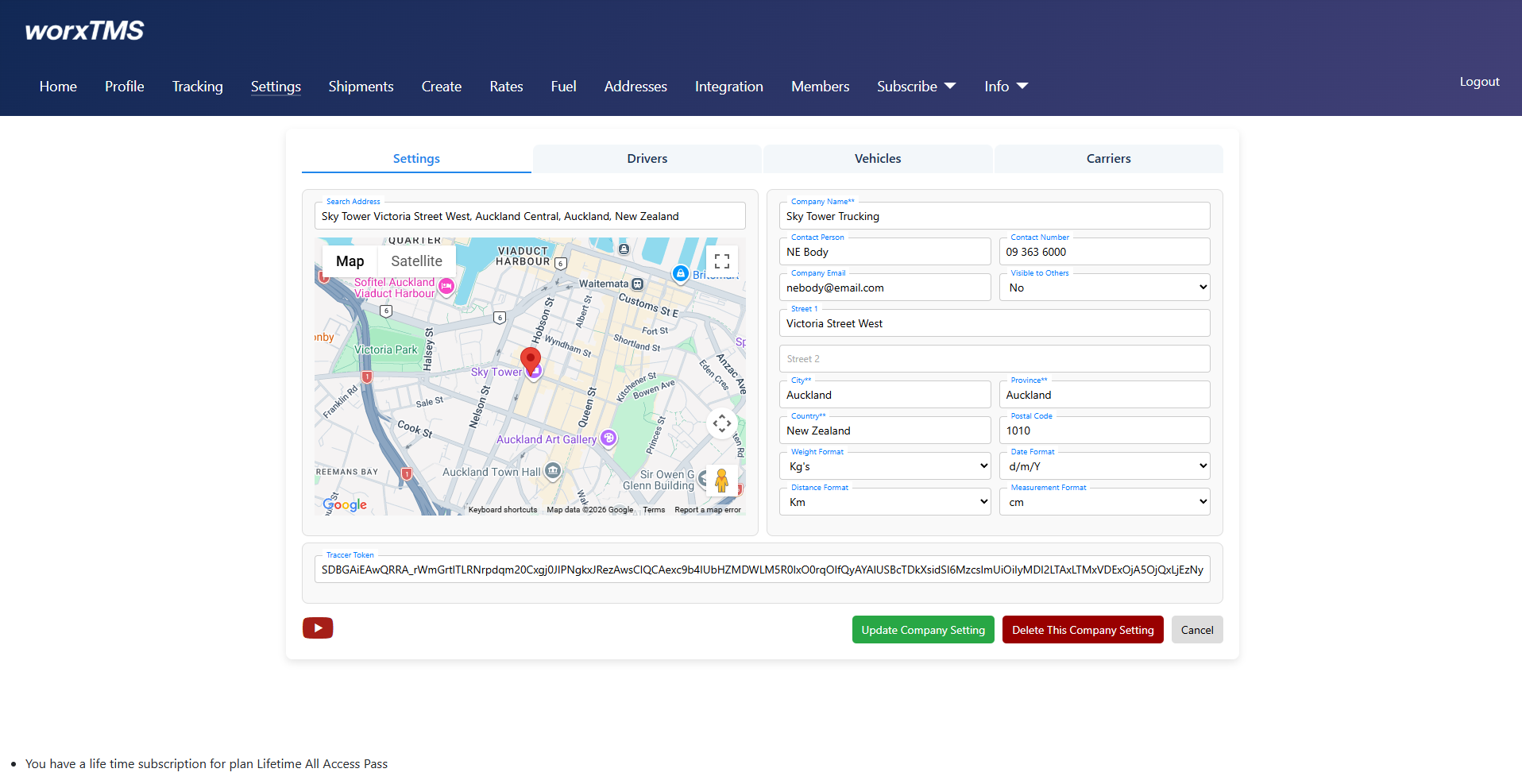
Workflow: Settings Tab
- Search your Company Name or Address as you would in Google to get your company's pin point location
- This is the address section, after you click your location, many fields of address will be autofilled but just check
- This is where user must select kgs or lbs, date format, distance format km / miles and measurement format cm / in
- This is the traccar token, but can be ignored as that step has been automated
- This is the video icon, users can watch the video for more
Tab 2: Vehicles — Vehicle Registration & In-Vehicle Tracking Devices
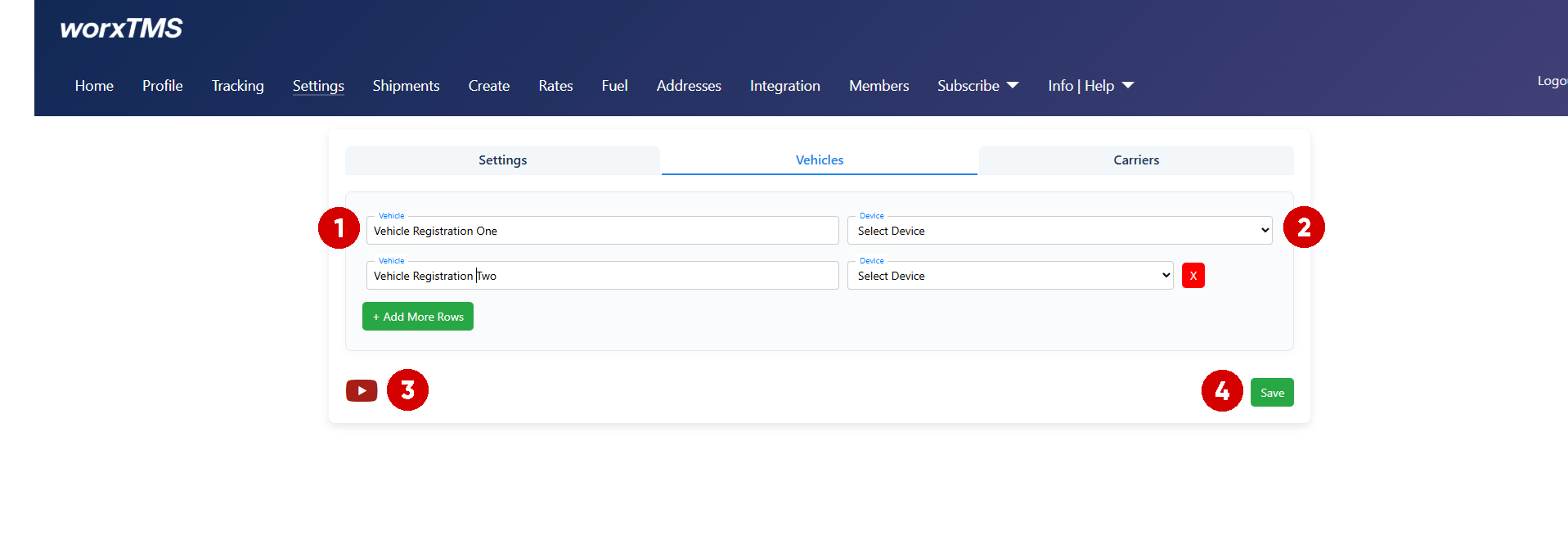
Workflow: Vehicles Tab
- Add your Vehicle Registration Numbers
- Optional, but this is where you can link the in-vehicle tracking devices to the specific vehicle
- Watch the video if you get stuck
- Save
Tab 3: Carriers — Carrier / Subby Management
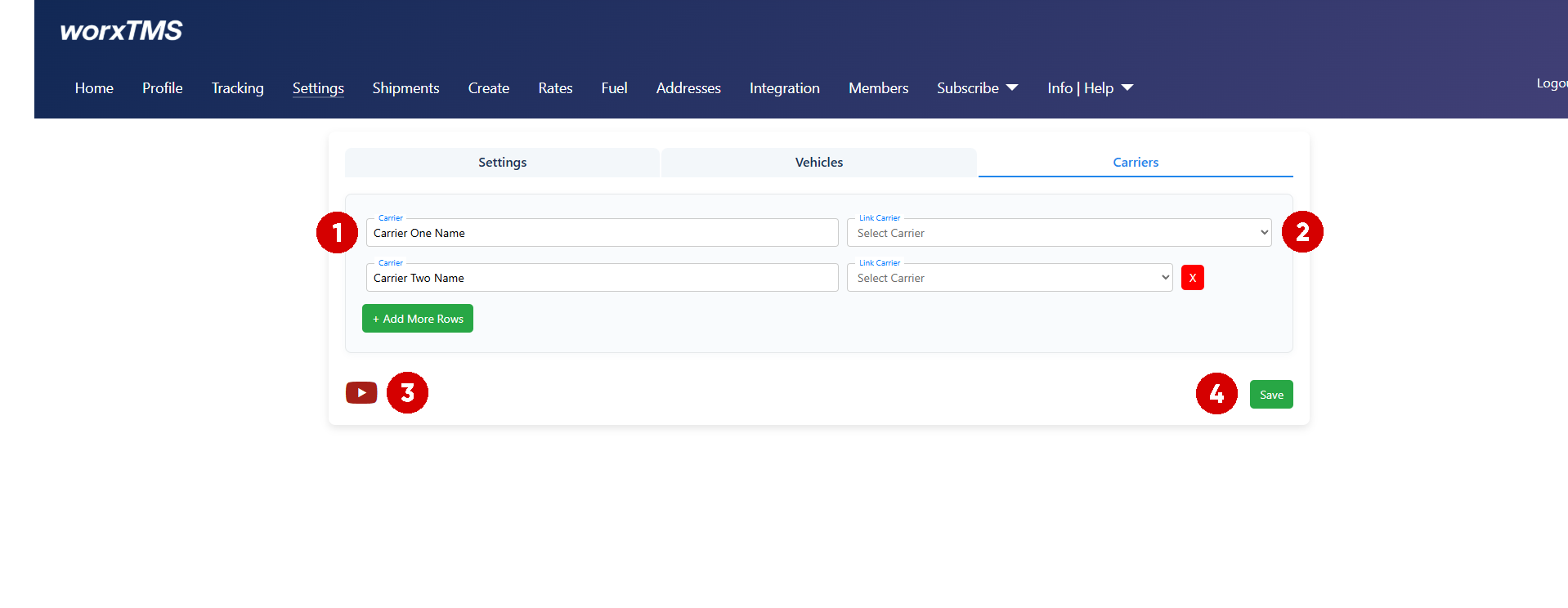
Workflow: Carriers Tab
- Add your Carrier / Subby's Names
- Link Carrier can be ignored for now, this is a feature for a later phase of development
- Watch the video if you get stuck
- Save